


Apple is once again shifting the goalposts for independent creators with the latest evolution of its professional software ecosystem. By leaning heavily into on-device intelligence and unifying the workflow between Mac and iPad, the company is looking to make high-end production tools feel more like a natural extension of the user’s thought process rather than just another set of complex applications to master.
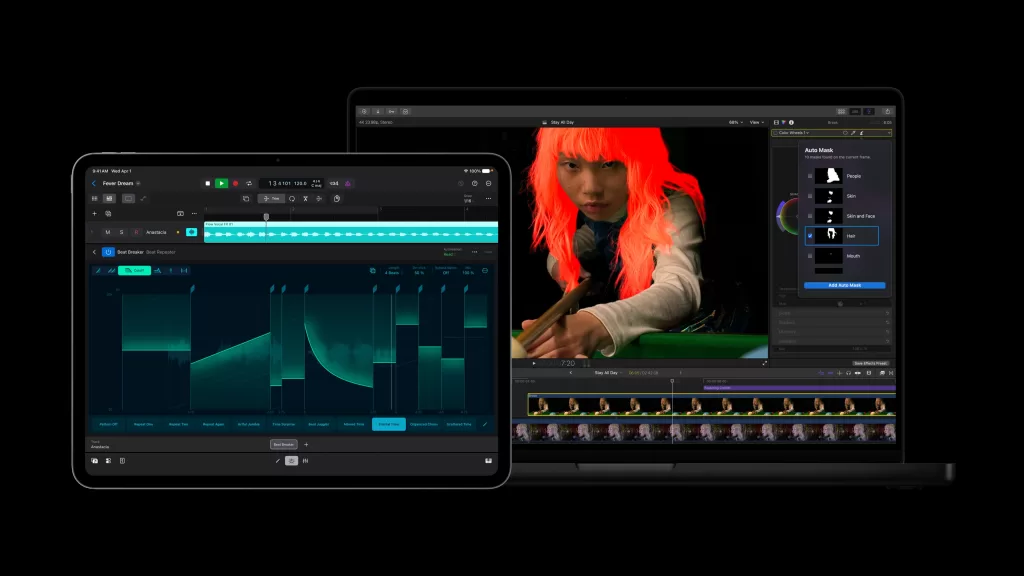
Final Cut Pro: Editing at the Speed of Thought
The latest updates to Final Cut Pro on both Mac and iPad are a masterclass in AI-driven efficiency. The standout feature is the new Transcript Search, which allows editors to hunt for specific spoken content directly within their footage, effectively ending the days of manual, frame-by-frame scrubbing to find a usable soundbite.
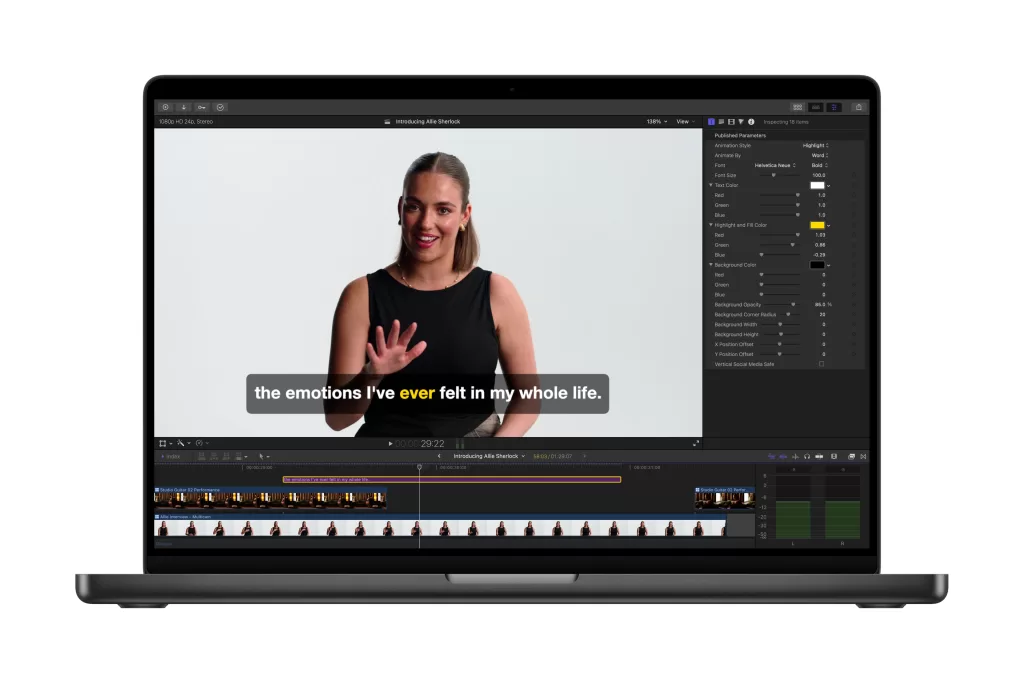
For those managing massive project bins, the new Visual Search is a game-changer. It uses machine learning to index your clips by identifying objects, actions, and even specific environments, making asset management feel instantaneous. When it comes to the technical side of the edit, the updated Beat Detection tool automatically handles music synchronisation, ensuring that your cuts and transitions land exactly where they should. On the iPad, the new Montage Maker further streamlines the process by auto-editing highlights, which is perfect for creators who need to push out high-quality content while on the move.
Motion and Compressor: Refined Control
Motion is receiving a significant boost in subject isolation capabilities with the introduction of “Magnetic Mask”. By using advanced AI, the tool makes masking subjects—even complex ones like flowing hair or intricate textures—easier and more precise. It removes much of the tedious manual rotoscoping that has historically bogged down motion graphics work. Paired with the inclusion of Compressor for custom export workflows, the suite ensures that your final output, whether for a high-end commercial or a social media clip, is optimised without needing to jump through complex encoding hoops.
Pixelmator Pro: The New Powerhouse on iPad

Perhaps the most exciting development is the full integration of Pixelmator Pro onto the iPad. Previously a Mac-only heavyweight, it now boasts a touch-focused interface that doesn’t sacrifice any of the depth we’ve come to expect. You get the same advanced masking, Super Resolution for AI-powered image upscaling, and a new Auto Crop tool that uses composition intelligence to suggest the best framing for your images. With seamless project syncing between your Mac and iPad, you can start a complex edit on your desk and finish it from anywhere with Apple Pencil support, making the mobile creative workflow truly frictionless.
Pricing & Availability
The updated Apple Creative Suite is available today. Apple continues to offer flexible access for all types of creators. Users can choose to purchase individual Mac applications via one-time perpetual licenses for those who prefer avoiding subscription models. Alternatively, integrated access to the full suite is available through updated service bundles.
For the iPad, these professional tools are accessible via a simplified subscription structure, ensuring that the cost remains manageable for independent creators and students alike.
Apple’s Creative Studio is available as a subscription of RM29.90 per month or RM299 per year. Those who qualify for Apple’s Education program can get it for RM9.90 per month, or RM99 a year. The apps are also available as one-time purchases starting at RM129.90.