
For the last two years, the conversation around Adobe Photoshop has been dominated by the “magic” of generative AI. We have all seen the demos of expanding borders and summoning objects from thin air, but the initial excitement often faded when the actual results required hours of cleanup to look professional. With the latest January 2026 update, Adobe is signalling a shift from novelty to utility, introducing the Firefly Image 4 model and a suite of tools designed to give creative professionals the one thing they crave most: control.
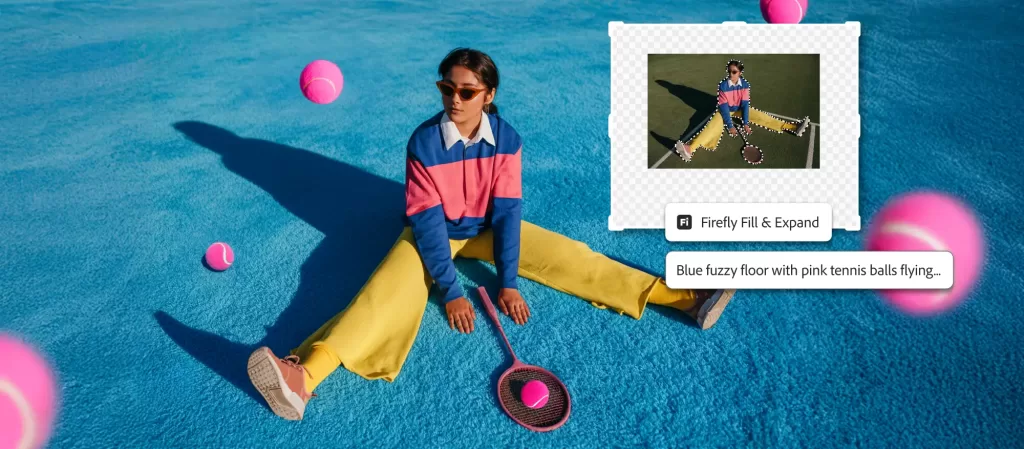
The engine driving these changes is the new Adobe Firefly Image 4 model, which is now powering the Generative Fill, Generative Expand, and Generate Background tools. The practical upgrade here is a significant jump in photorealism and prompt adherence. Previous iterations often struggled with complex lighting or specific texture details, resulting in that tell-tale “AI gloss.” This new model is engineered to better match the lighting, perspective, and grain of the existing image, making the inserted elements feel less like stickers and more like native parts of the composition.
A Dedicated Sandbox for Iteration
To manage these generations, Adobe has introduced the “Generative Workspace.” This is a dedicated environment within Photoshop that moves the AI workflow out of the main canvas and into a sandbox. Instead of cluttering your layer stack with endless variations, you can now iterate in this separate space. It allows users to batch-generate options, refine prompts, and apply specific controls for color, tone, and composition before committing the final asset to the main project. It effectively turns the “slot machine” nature of AI generation into a structured design process.
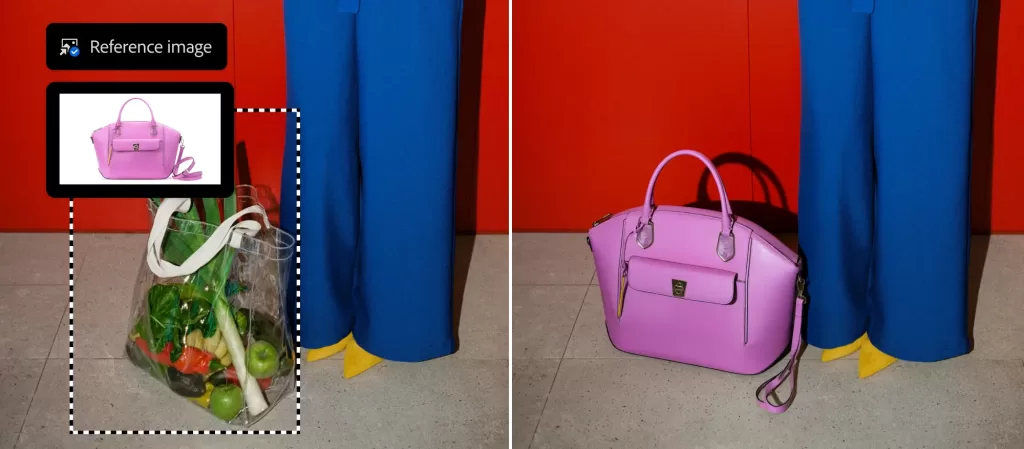
Perhaps the most useful addition for compositors is the updated “Generate Background” tool. Rather than manually masking a subject and trying to describe a new setting, this tool detects the subject and generates a cohesive background that matches the lighting and perspective of the foreground. It removes the tedious step of matching shadows and color grading, handling the heavy lifting of integration automatically so artists can focus on the creative direction rather than technical blending.
Enhancing Traditional Control
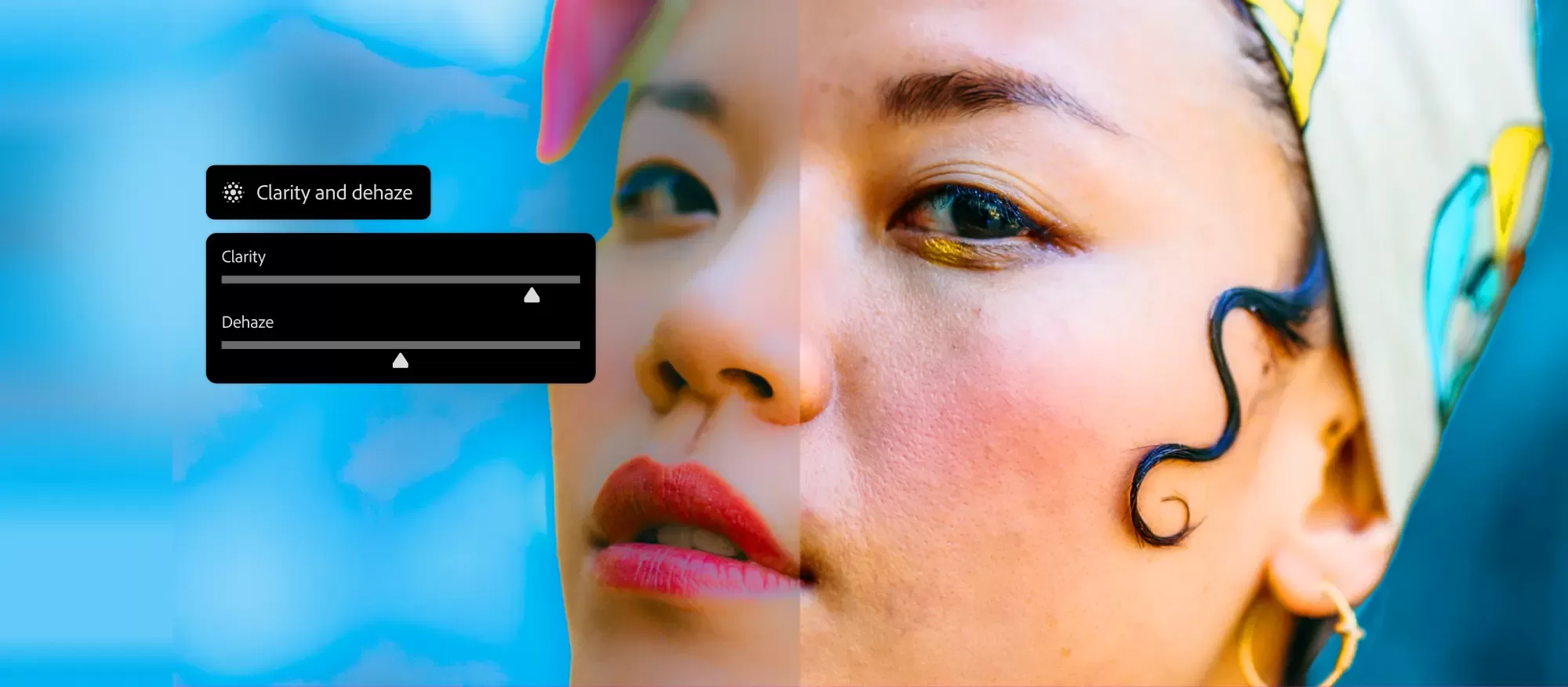
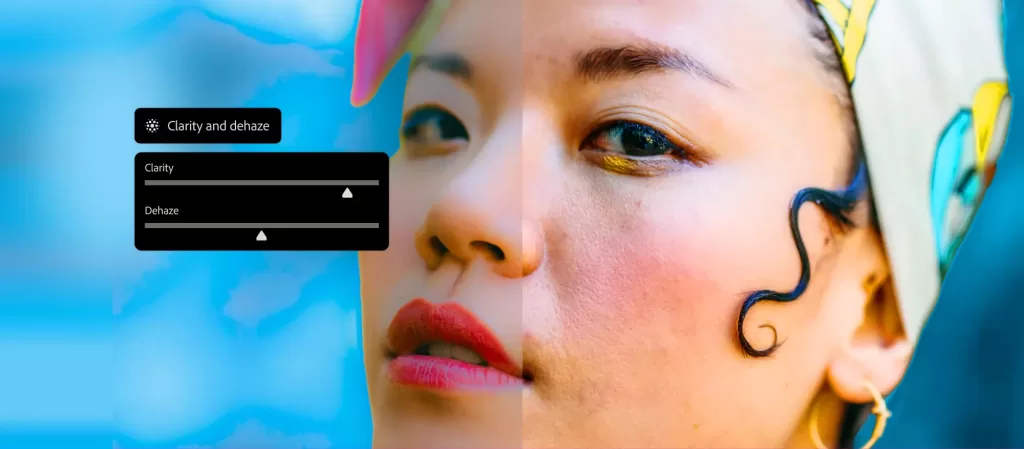
However, not every update is about artificial intelligence. In a move that will likely cheer long-time users more than any robot-assisted feature, Adobe has finally added Clarity and Dehaze as native Adjustment Layers. For years, accessing these essential contrast and atmosphere controls required a disruptive trip into the Camera Raw filter, breaking the non-destructive flow of the main workspace. Bringing them into the standard Adjustment Layer panel means photographers and retouchers can now tweak local contrast and atmospheric haze with the same ease as adjusting levels or curves.
These changes fundamentally alter the rhythm of an edit. By moving the trial-and-error phase into a dedicated workspace and automating the tedious task of matching lighting, Adobe is effectively handing hours back to the artist. It turns AI from a parlor trick into a reliable studio assistant, allowing professionals to spend less time fighting the tools and more time refining the vision.