
For years, Samsung’s Ultra moniker—the spiritual successor to the beloved Note series—has been the undisputed king of the no-nonsense productivity hill. It’s the smartphone you bought when you needed to get serious work done on the go. This year, however, the new Galaxy S26 Ultra wades into slightly murkier waters, attempting to be a jack-of-all-trades for both the corporate powerhouse and the creative professional.
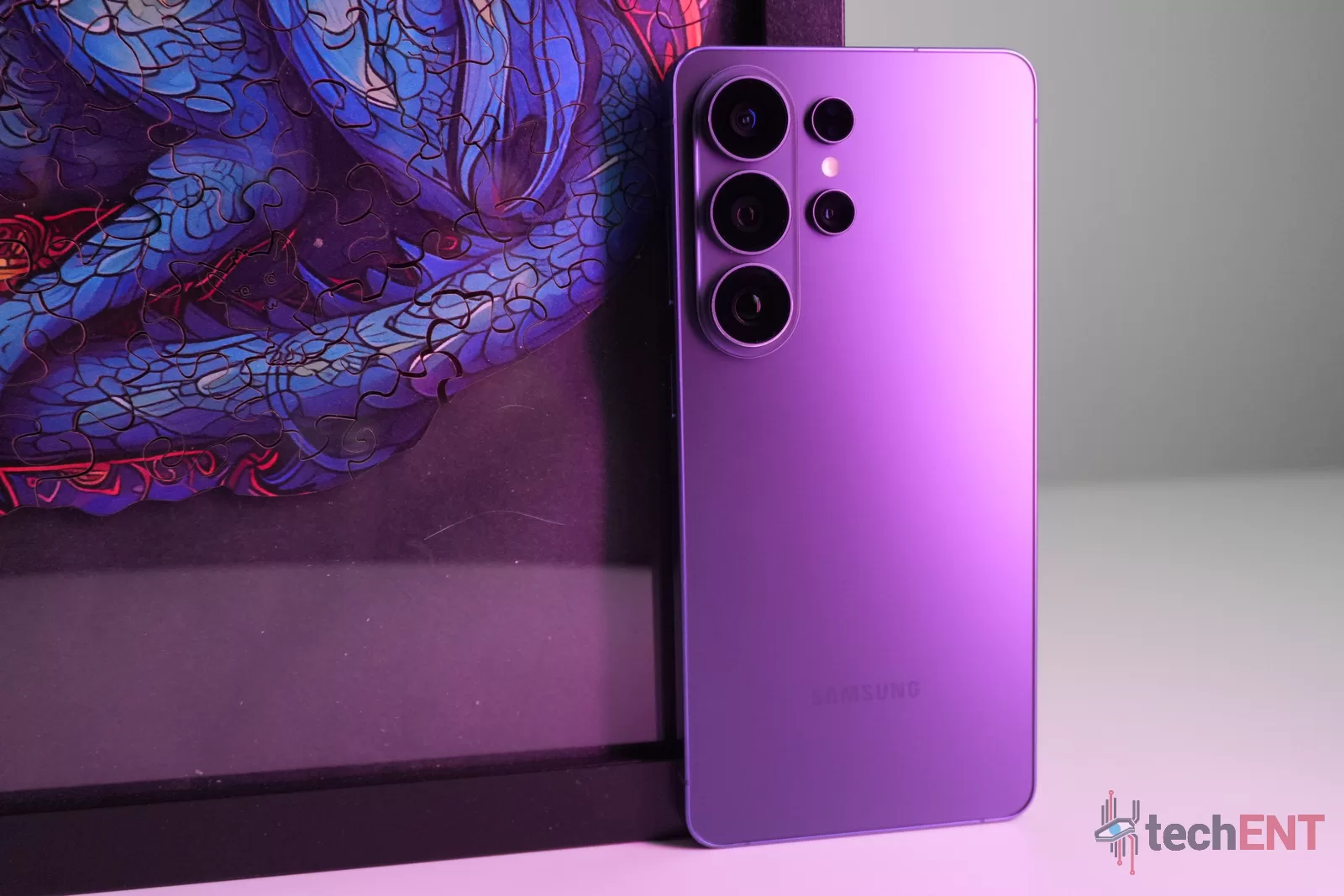
At first glance, Samsung leads with physical refinement. The Galaxy S26 Ultra boasts a light, durable body with a remarkably thin 7.7mm profile. It looks and feels like a premium candy bar flagship should, protected by Corning Gorilla Glass 2. However, the physical hardware also takes a curious step backwards; Samsung has maintained a no-Bluetooth S-Pen, leaving us wondering if the hardware is fully keeping pace with the software.
And the software is where the real heavy lifting happens. Powered by the new Snapdragon 8 Elite Gen 5 for Galaxy, the focus has drastically shifted toward an “agentic future”. Bixby makes a surprising return as an agentic assistant, designed to help you navigate and use the phone with a single prompt. Meanwhile, creator-focused features like APV Support and Super Steady with Horizontal Lock are heavily pushed. It feels very much like two steps forward and one step back.
The Ultra continues to bring Samsung’s best when it comes to candybar phones, but it begs a crucial question: who exactly should be looking at the S26 Ultra? Do new features like the system-level Privacy Display justify the upgrade? Is it the S Pen? Or is this iteration simply a pass?
Let’s break it down in this review.
Design
Samsung’s Galaxy S Ultra series has historically been characterised by its unapologetic heft—a literal heavy hitter for power users. However, with the Galaxy S26 Ultra, Samsung is flipping the script. At a mere 7.7mm thick and weighing in at just 214g, it is the slimmest and lightest Ultra device we’ve seen. But this aggressive diet raises a serious question: where is the line where a device becomes too light for a flagship smartphone?
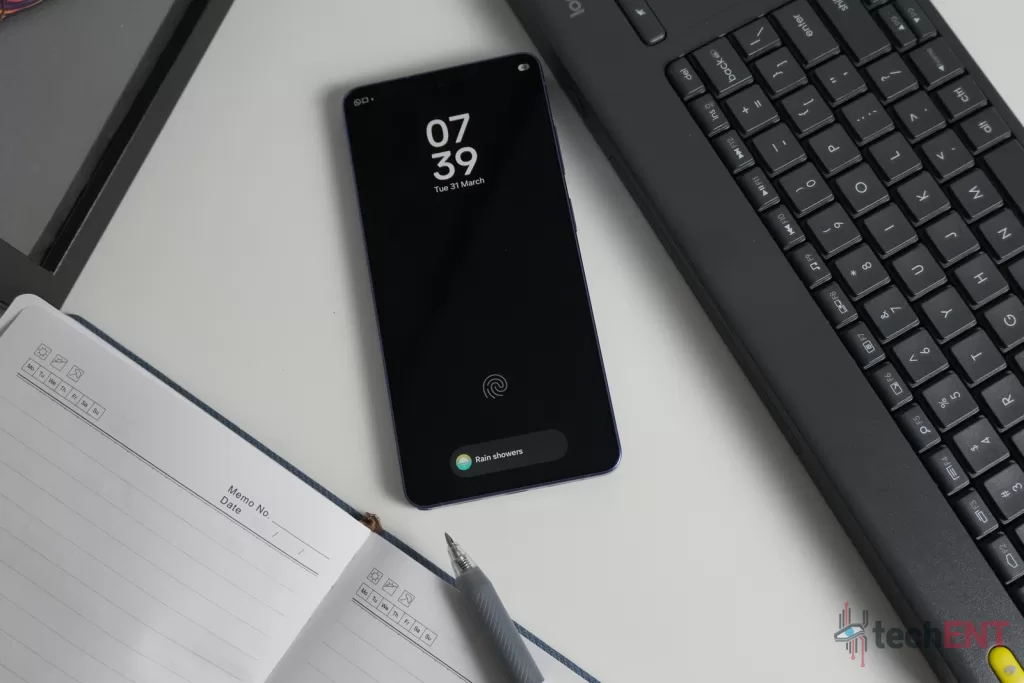
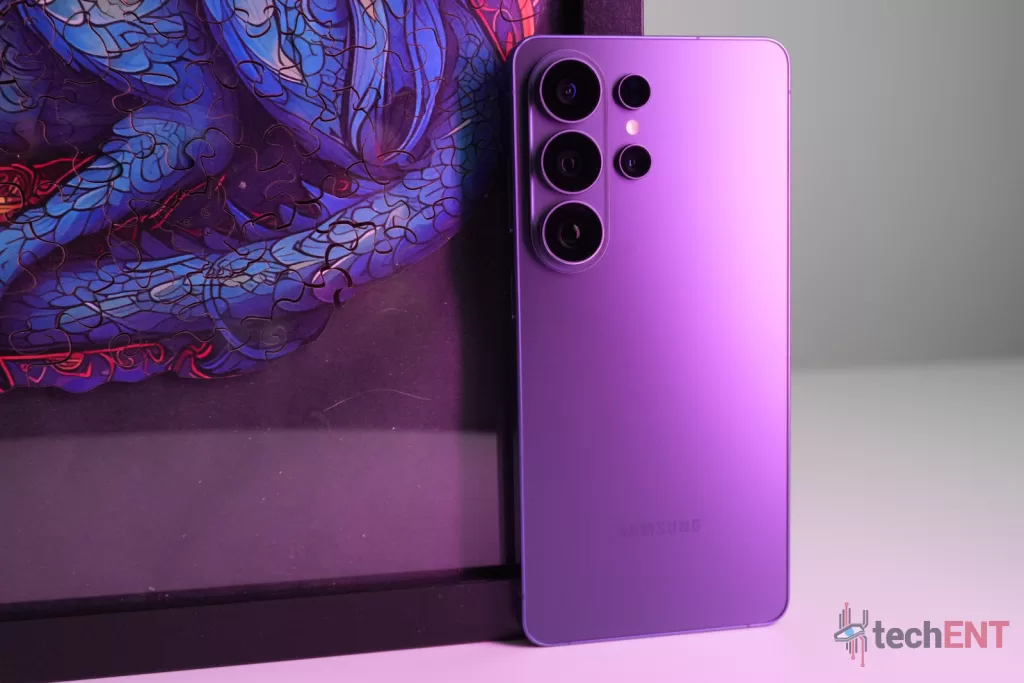
The overall footprint is undeniably more palmable, sleeker, and significantly more pocketable than its predecessors. Samsung has managed to find a very solid middle ground between maintaining a modern, flat design aesthetic and actual, usable ergonomics. While it does feel a little too light for my personal liking—teetering dangerously close to feeling toy-like in the hand—it thankfully retains a very premium feel overall. This is largely aided by the building materials. The move back to Armor Aluminum is a much-appreciated choice; not only does it provide a sturdy frame, but it also lends itself to significantly better thermals when you’re pushing the phone to its limits. The device is further protected by Corning Gorilla Armor 2, ensuring that the lightweight profile doesn’t sacrifice durability.
Hardware
Underneath that refined exterior, the Galaxy S26 Ultra is undeniably a spec monster. It packs the latest Snapdragon 8 Elite Gen 5 for Galaxy processor, paired with up to 16GB of RAM and up to 1TB of internal storage. It is powered by a 5,000mAh battery capable of Super Fast Charging 3.0, hitting a 75% charge in around 30 minutes with a 60W adapter.
However, the hardware choices aren’t without their baffling quirks. The biggest head-scratcher here is the S Pen. Aside from the aforementioned lack of Bluetooth functionality, Samsung has made the curious decision to revert to a stylus design that isn’t bidirectional. Yes, it is entirely possible to slide the S Pen in the wrong way if you aren’t paying attention. For a device that champions seamless productivity and an “agentic future”, fumbling with your stylus during a fast-paced meeting is an annoying, mechanical step backwards.
On the front of the device, you are greeted by a sprawling 6.9-inch QHD Dynamic AMOLED 2X Display. Samsung knocks it out of the park with the screen, as is expected from the company. However, it’s worth noting at this juncture that this is not your typical AMOLED panel. The introduction of Samsung’s new system-level Privacy Display alters the viewing dynamics in a way that users will definitely need to get used to over the course of using the phone. We will dive much deeper into those details in the dedicated display section later in this review.
Specifications
| Specification | Details |
| Processor | Snapdragon 8 Elite Gen 5 for Galaxy |
| Memory & Storage | 12GB+256GB, 12GB+512GB, 16GB+1TB |
| Display | 6.9-inch QHD Dynamic AMOLED 2X 120Hz adaptive refresh rate (1-120Hz) Vision booster |
| Battery & Charging | 5,000mAh Wired (65W): Up to 75% in ~30 mins Wireless Charging (45W) Wireless PowerShare |
| Rear Cameras | 200 MP Wide (2x Optical Quality Zoom, F1.4) 50 MP Ultra Wide (F1.9) 50 MP Tele1 (10x Optical Quality Zoom, 5x Optical Zoom, F2.9) 10 MP Tele2 (3x Optical Zoom, F2.4) |
| Front Camera | 12 MP (F2.2) |
| Dimensions & Weight | 78.1 x 163.6 x 7.7mm 214g |
| Colours | Cobalt Violet, Sky Blue, Black, White. Online Exclusive: Silver Shadow, Pink Gold |
| OS & Security | One UI 8.5 7 generations of OS updates 7 years of security updates |
User Interface & User Experience
When you boot up the Galaxy S26 Ultra, you are immediately greeted by One UI 8.5. Samsung is marketing this iterative software with a heavy emphasis on an “agentic future”, a buzzword implying that the phone will proactively act on your behalf before you even have to ask. To be completely candid, Samsung’s big agentic push feels a bit premature right now. Rather than a total paradigm shift, the new software capabilities feel like a very natural, albeit highly refined, evolution of the Galaxy AI features we’ve been using up to this point.
That isn’t to say the features lack utility. Tools like Now Brief and Now Bar are incredibly useful, effectively surfacing actionable details from the daily barrage of information presented to you throughout the workday. However, the only feature that truly earns the “agentic” moniker is Now Nudge. Having your smartphone act as a genuinely smart assistant—one that proactively parses your messages to nudge you to make calendar appointments, or instantly alerts you to a clashing event while you are planning—is a top-level productivity unlock. Historically, proactive smartphone features run the risk of being annoying or intrusive, but Samsung has mastered the art of introducing tools that stay out of your way. The Now Nudge feature is top-tier, directly addressing real-world pain points for the busy pro-sumer without constantly interrupting their workflow.
This brings us to the virtual assistants. Bixby is arguably where this agentic AI meets One UI. Samsung’s redesign and rethinking of Bixby to act as a localised complement to Gemini is, frankly, brilliant. Instead of trying to be a know-it-all internet chatbot, Bixby excels as an on-device controller. Being able to effortlessly command the phone to lower the brightness, alter deep system settings, or open and search within specific apps is a highly practical step into that promised “agentic future”.
Furthermore, the ecosystem breaking from relying entirely on Google is a breath of fresh air. The integration of Perplexity alongside Gemini is a welcome addition, giving users the flexibility to choose how they source their information and research. However, this is just a first step. Right now, the experience is largely about choice. Gemini and Bixby are very well integrated, passing tasks between themselves competently, but we have yet to see a true, singular agentic assistant that handles everything flawlessly behind the scenes.
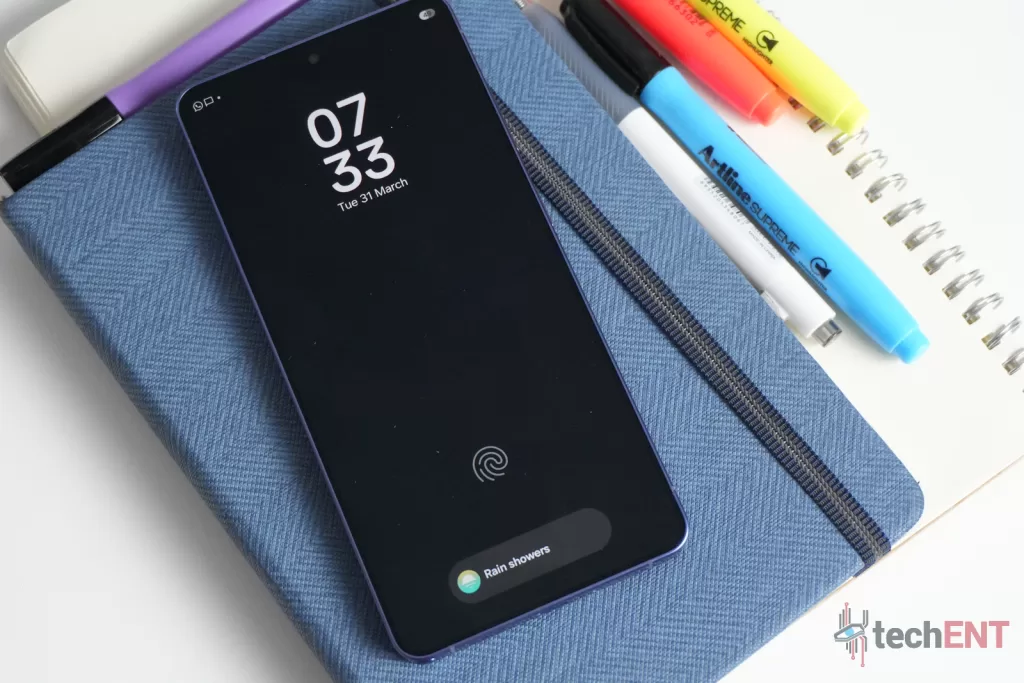
Navigating One UI 8.5 remains a remarkably fluid experience. The interface doesn’t feel weighed down by these new AI additions, which is a testament to the heavy computational lifting being done by the massive 39% boost in NPU performance provided by the Snapdragon 8 Elite Gen 5. Samsung’s goal of making AI “easy and effortless” translates beautifully to the actual user interface. You aren’t forced to learn an entirely new way to navigate your device; the traditional Android experience remains intact, just supercharged with smart overlays that stay hidden until you need them.
Finally, we have to talk about longevity. Samsung is promising 7 generations of OS updates and 7 years of security updates with the Galaxy S26 Ultra. This extended lifecycle is a massive plus to the phone’s overall value proposition. For professionals dropping top dollar on a flagship productivity machine, having a known, confirmed upgrade path offers unparalleled peace of mind. We live in a world where zero-day exploits, phishing, and malware are increasingly commonplace; knowing your device will remain fortified by continuous security updates for the better part of a decade cannot be overstated.
Performance
Multitasking
Samsung’s spec sheets for the wider S26 series might throw around a few different processor names like the Exynos 2600, depending on the region and model, but let’s clear the air right away: the Galaxy S26 Ultra is powered exclusively by the Snapdragon 8 Elite Gen 5 for Galaxy. There is no Exynos chipset to be found in this specific tier, and for the power user relying on their phone for heavy lifting, that is exactly the news we want to hear.
This customised silicon is an absolute powerhouse. Samsung touts a massive 39% bump in Neural Processing Unit (NPU) performance alongside a 19% boost to the CPU. In day-to-day use, these aren’t just empty marketing metrics. The sheer volume of AI processes running in the background—from the continuous on-device learning required for the Now Nudge feature to the heavy algorithmic processing of the camera’s Photo Assist tools —requires serious computational grunt. The Snapdragon handles these intensive AI workloads seamlessly. Whether you are running multiple heavy Excel sheets in split-screen, participating in a video call, or using Link to Windows, the Ultra refuses to stutter.
Thermals
But raw processing power usually brings a formidable enemy: heat. For a device with such an incredibly slim profile, thermal management is a very genuine concern. This is where Samsung’s newly Expanded Vapor Chamber comes into play. During our review period, the S26 Ultra proved to be surprisingly thermally efficient. When scrubbing through complex timelines and rendering 4K video projects on mobile apps like Adobe Premiere Rush and CapCut, the phone did get warm, but it never crossed the line into being uncomfortably hot.
In the spirit of full transparency, there is a distinct thermal “hotspot” localised near the upper mid-section of the rear panel, right near the processor housing. However, because of the way the Armor Aluminum frame and the internal cooling system disperse the heat, you would be hard-pressed to pinpoint this exact hotspot unless you are actively searching for it. For the working professional putting the phone through its daily productivity paces, thermal throttling is practically a non-issue.
Gaming & Connectivity
While the Galaxy S26 Ultra is clearly tailored for the boardroom and the creative studio, the hardware under the hood makes it a formidable gaming machine. The new processor brings a significant 24% boost in GPU performance. When you pair that graphical power with the massive 6.9-inch QHD Dynamic AMOLED 2X Display running at a buttery smooth 120Hz adaptive refresh rate, the mobile gaming experience is incredibly immersive. Despite the phone being quite large, the 214g weight means your wrists won’t fatigue quickly when holding it in landscape mode.
We threw some of the most demanding mobile titles at the Ultra. In Diablo Immortal, the phone didn’t even break a sweat, breezing through chaotic, high-density rifts without any noticeable frame drops. We also pushed the envelope with Where Winds Meet on maxed-out graphical settings. The Ultra rendered the lush environments beautifully, though pushing the GPU to its absolute limit on max settings does make that aforementioned hotspot much more pronounced. Even then, heavy titles like Genshin Impact and Pokémon UNITE remained incredibly smooth and highly playable over extended sessions. The vapour chamber does an admirable job of keeping the chassis from becoming a full-blown finger-warmer.
However, playing high-fidelity online games requires a stable connection, which brings us to the phone’s network capabilities. The S26 Ultra is equipped with top-tier 5G modems, but real-world network performance remains a pain point, though through no fault of Samsung. If you are gaming on the go here in Malaysia, our spotty 5G infrastructure continues to be the primary bottleneck. You will frequently find yourself dropping to 4G LTE in the middle of a raid, causing latency spikes. When you are on a stable, high-speed Wi-Fi connection, however, the connectivity is rock solid and completely reliable.
Display
The front of the Galaxy S26 Ultra is entirely dominated by a sprawling 6.9-inch QHD Dynamic AMOLED 2X Display. If there is one area where Samsung consistently knocks it out of the park, it is panel quality. With a 120Hz adaptive refresh rate that scales seamlessly, scrolling through heavy documents or gaming feels incredibly fluid. The inclusion of Vision Booster ensures that even under the harsh glare of the midday Malaysian sun, the screen remains entirely legible and vibrantly clear.

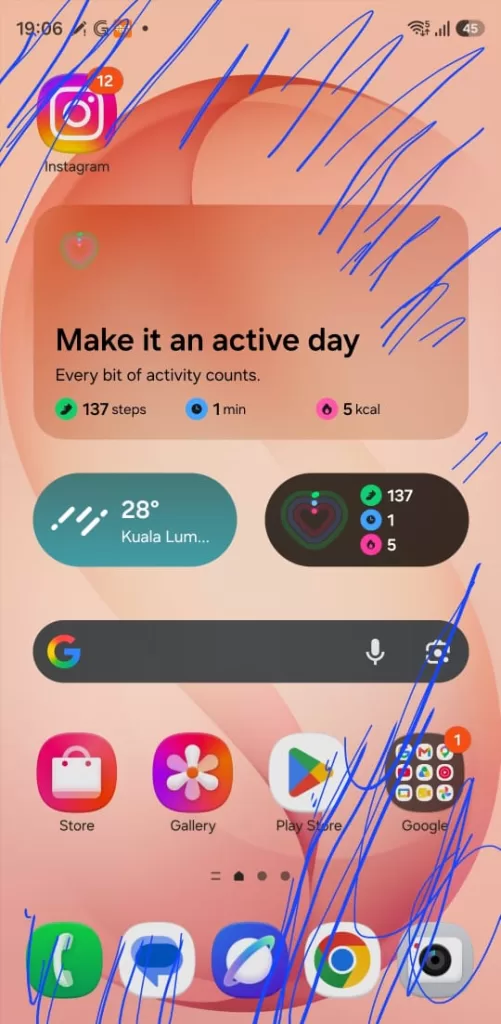
However, the traditional AMOLED experience isn’t the main headline here. The true differentiator for the prosumer is the introduction of Samsung’s system-level Privacy Display. In practice, this feature works like an absolute dream. By setting up a quick shortcut, you can trigger “privacy mode” immediately via a double-press of the side button or a quick tap in the Quick panel. The minute it is activated, the viewing angles narrow drastically, offering immediate protection from shoulder surfing, whether you are reviewing sensitive financial data in a crowded café or answering confidential emails on the LRT.

From a value perspective, this is a legitimate game-changer. We have a growing number of professionals who routinely fork out extra for third-party, physical privacy screen protectors. Having this baked into the system allows you to toggle the protection only when you need it, rather than suffering through a permanently dimmed screen.
That said, the Privacy Display is not without its compromises. When activated, there is a very noticeable trade-off in both brightness and vibrance. The screen immediately looks dimmer, and the rich, punchy colours Samsung is known for become muted. More importantly, I experienced a weird, lingering strain on the eyes during prolonged use, particularly when looking at the screen without my spectacles. While Samsung hasn’t published the exact mechanics, it feels as though the edges of the individual pixels are effectively being turned off or angled to prevent prying eyes. My working theory is that this unique pixel behaviour forces your eyes to work significantly harder to focus on the text. It is a brilliant feature for short bursts of high-security work, but it is certainly something users will need to get used to—and perhaps avoid leaving on for hours at a time.
The other quirk that we came across with the Galaxy S26 Ultra’s display is that the digitiser for the S Pen stops responding when you use a magnetic case. We saw this particularly with aftermarket magnetic cases. When the case was on, the whole middle portion of the screen wouldn’t respond to the S Pen. This would either be in the form of a circle, a full square or a rectangle, depending on the case.
Cameras
When we move to the camera system, we enter what is arguably the most “murky” territory of the Galaxy S26 Ultra. On paper, Samsung is bringing a phenomenally capable setup: a massive 200MP main wide sensor with a brighter aperture, a 50MP ultrawide, a 50MP telephoto with 10x optical quality zoom, and a secondary 10MP telephoto with 3x optical zoom. Samsung touts this as Galaxy’s best camera system to date. Yet, if we are being completely candid, the raw, auto-mode image quality out of the box sometimes pales in comparison to aggressive, photography-first competitors like Xiaomi or Vivo.
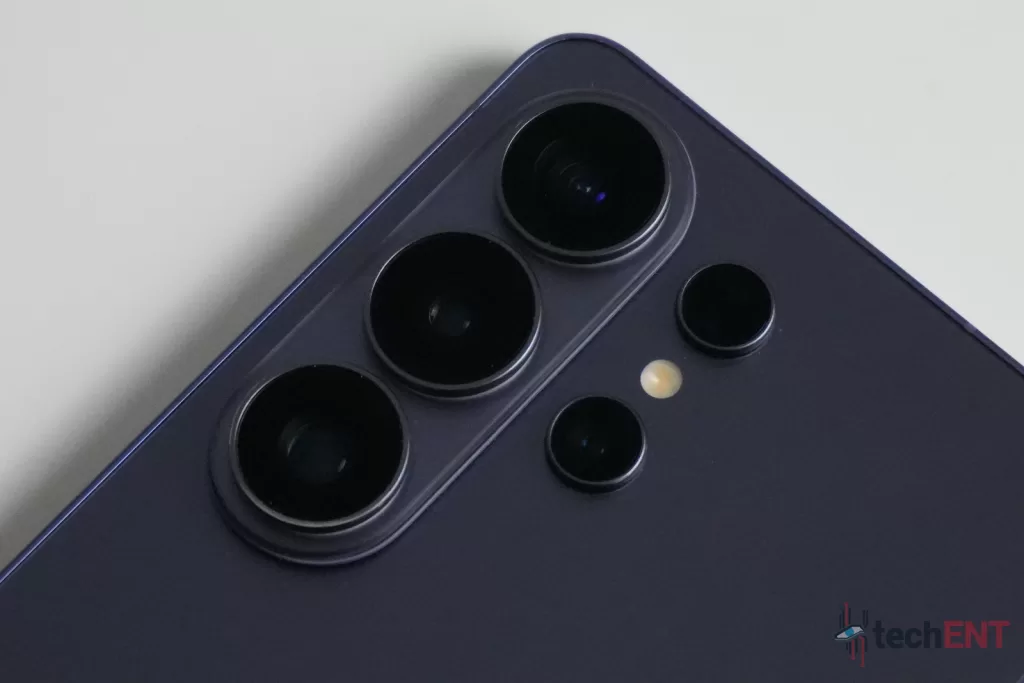
However, that does not mean it is a bad camera; rather, Samsung is currently finding its footing as it transitions its imaging philosophy. For years, Galaxy phones were infamous for aggressively blowing out reds and oversaturating skies. With the S26 Ultra, there is a very noticeable pivot toward more realistic, true-to-life colours. The images are punchy only where they actually need to be. Pictures taken in broad daylight are incredibly crisp and clear, exhibiting excellent depth of field and sharpness. There is, however, a slight quirk: in certain mixed or harsh lighting conditions, the processing can occasionally introduce a faint white overlay or haze that flattens the image slightly.
Where the S26 Ultra truly justifies its price tag is in its versatility for the aspiring creator. If you are looking to get serious about content creation without breaking the bank on a dedicated mirrorless setup, this phone is a powerhouse. The inclusion of APV Support means you can shoot footage in LOG profiles. This gives you massive amounts of data and dynamic range to play with in post-production, allowing you to colour-grade your shots to absolute cinematic perfection.
This creator-first philosophy bleeds into the phone’s low-light capabilities as well. The Nightography performance is visibly improved over last year’s S25 Ultra. You are now able to extract better dynamic range, much deeper blacks, and higher overall contrast when the lights go down. With the right manual tweaks, the S26 Ultra is fully capable of capturing incredibly moody, atmospheric shots.
And that is perhaps the biggest takeaway regarding the Samsung Galaxy S26 Ultra’s camera system: you are your own artist. Unlike competitors that try to use AI to aggressively “fix” every shot into a brightly lit, ready-to-post JPEG, the S26 Ultra only takes you so far. Your ultimate vision relies on you delving into the Pro modes, tweaking the ISO and shutter speed, and finessing your files in post.
Even the AI tools, like Photo Assist, reinforce this. Instead of just applying a blanket filter, the AI allows you to deliberately generate new elements, move subjects, or change the entire mood of the image through text prompts and style selections.
Finally, for the videographers, Samsung has introduced Super Steady with Horizontal Lock. This is nothing short of a game-changer if you are shooting action sequences or tracking shots. It essentially locks the horizon line in place, producing footage that is incredibly stable—so stable, in fact, that you can literally turn the camera upside down during a shot and the horizon remains perfectly level. It is precisely these kinds of pro-sumer tools that elevate the S26 Ultra from a simple point-and-shoot device to a legitimate piece of production equipment.
Battery Life
If there is one area where Samsung’s flagship devices consistently need to prove themselves for the prosumer, it would be battery life. A productivity machine is completely useless if it dies before you clock out. The Galaxy S26 Ultra packs a 5,000mAh battery, which has essentially become the standard capacity for devices in this class. However, the true difference here lies in the efficiency of the new Snapdragon processor.
Throughout my review period, the smartphone consistently lasted nearly two days on a single charge under normal, day-to-day use. This wasn’t a light workload, either; it involved having seven different email accounts syncing simultaneously in the background, alongside regular social media scrolling, messaging, and calls. If you happen to leave the phone on standby over a long weekend, the battery optimisations are incredibly aggressive in the best way possible. I was able to get about four days of standby time before needing to frantically reach for the charger.
Of course, the moment you start pushing the phone with heavy, continuous workloads, that number drops. When you start leaning heavily into split-screen multitasking, constant video calls, and utilising the heavy “agentic” AI features working in the background, you are looking at roughly five hours of active screen-on time. Firing up demanding, graphically intense games will drain the battery even faster, capping out at about three hours. That said, the Super Fast Charging 3.0 gets you back up from 0 to 75% in just about 30 minutes with a 60W adapter, which is a massive relief when you just need a quick top-up between meetings.
The Galaxy S26 Ultra Is An Interative Step with a Big Feature, but It Suffers from Drawbacks and Pro-Users Longing for Axed Features.
So, we return to the question we posed at the very beginning of this review: Who is the Samsung Galaxy S26 Ultra actually for, and do its features justify the flagship price tag?
When it comes down to it, the Galaxy S26 Ultra is undeniably built for the creator, the pro-sumer, and the productivity-centred individual. It is a heavy-duty workhorse that brings a highly versatile—if slightly murky out-of-the-box—camera system, excellent multitasking chops, and genuinely useful, game-changing additions like the system-level Privacy Display straight to the palm of your hand.
If you are currently holding onto a Galaxy S22 Ultra or a Galaxy S23 Ultra, you will absolutely love the massive leaps in user interface fluidity, raw processing performance, and the new suite of Galaxy AI tools. The upgrade path makes perfect sense for those users, offering a vastly refined daily experience.
However, no matter how you cut it—and despite standout additions like Now Nudge and the Privacy Display —the Galaxy S26 Ultra is fundamentally an iterative update. Don’t get me wrong; “iterative” is not a bad word in the tech world. It simply means refining a winning formula rather than reinventing the wheel. But it also means that if you are wielding a more current device like last year’s S25 Ultra, you can comfortably wait out this upgrade cycle without feeling like you are missing out on a massive technological revolution. Pro-users will also continue to feel the lack of Bluetooth in the S Pen.
Samsung’s Ultra series has always commanded a premium, and the S26 Ultra provides solid value thanks to its robust feature set and the peace of mind that comes with an incredible seven years of guaranteed software and security updates.